WPML must be enabled before pages are Broadcasted, otherwise translated posts will lose their language linking upon being rebroadcast from the parent blog.
Each translation much be broadcasted separately.
When creating a new translation by using the duplicate content function, the post is automatically broadcasted to all blogs that it is currently broadcasted to.
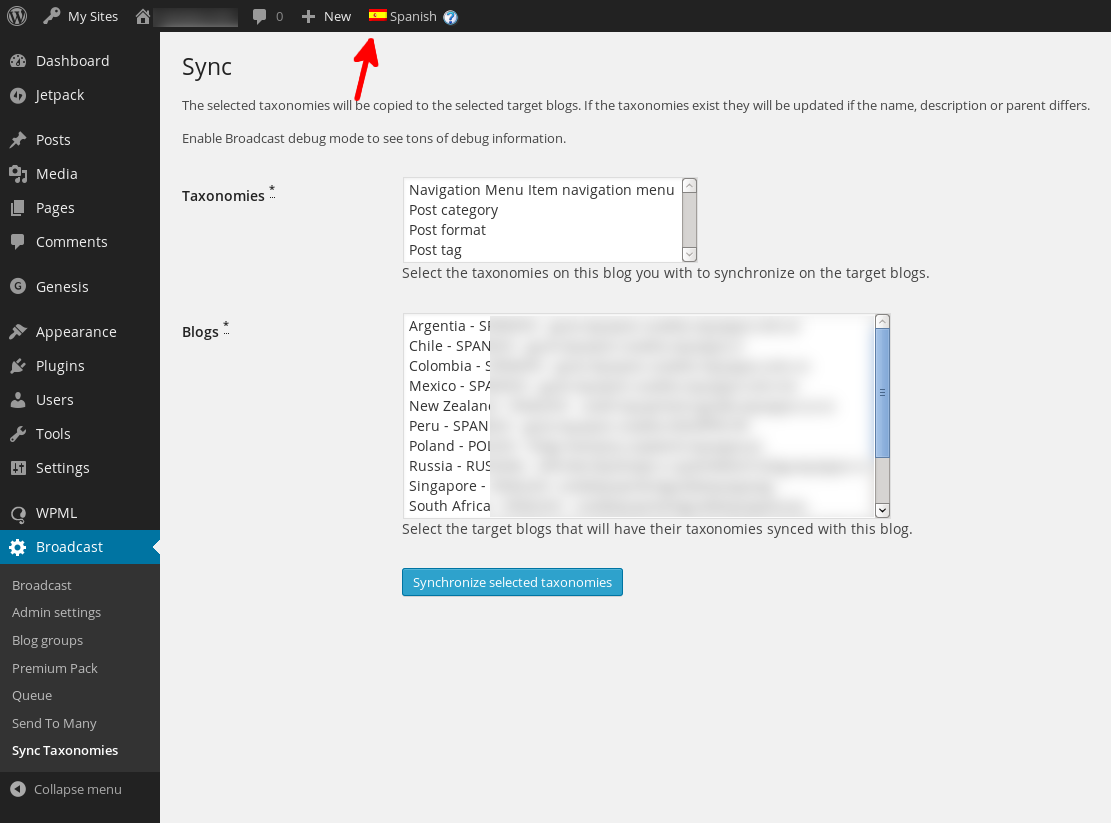
To create a new translation, do not use any WPML duplication functions. Instead, use the + sign for the language you want to translate the post to. If you do not do this, you can end up with duplicate taxonomy terms.
When broadcasting to blogs without WPML enabled (and WPML is not network enabled) the post will be broadcast as normal, without any WPML handling. If the broadcasted post is hidden, use this snippet to broadcast from non-WPML to WPML sites.
Taxonomy term translations are remembered between blogs if the terms have the same slugs on the parent and child blogs.
Using WPML together with the Broadcast Queue add-on is hit-or-miss: it might work for you, it might not, leaving the child post and terms in the wrong language. If you find that the language is incorrect, you’ll have to disable the queue.
If you find that images disappear from other translations when broadcasting, disable media duplication, as per this image:
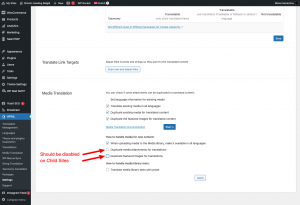
Disable to prevent missing images
If you find that you are getting duplicate terms when broadcasting, disable taxonomy copying, as per this image:
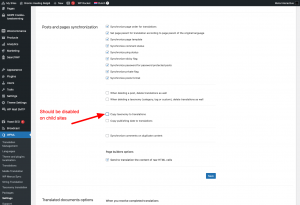
Setting to prevent duplicate terms
If you find that your menus are disappearing on the child sites, try these steps that the WPML people themselves suggest:
1) Could you please go to WPML-> Support ->Troubleshooting and click the below buttons:
+ Clear Cache in WPML
+ Set Language information
+ Fix element types collation
+ Remove ghost entries from the translation tables
+ Assign translation status to duplicated content
2) Create a new footer menu and add the same page, you can translate it from WPML->WP Menu sync too.
3) Try to run the broadcast, the menu remains intact.
Are you having problems with terms from other languages being set on the post? Try these steps that the WPML people themselves suggest:
- Make sure that the WooCommerce Multilingual plugin is activated on your site. If it is not installed yet, you can do that by going to the `Plugins > Add New > Commercial` tab.
- Once done, go to the “WooCommerce > WooCommerce Multilingual > Categories” tab
- Scroll down and click on the “Synchronize Category” button.
- Once the synchronization is completed, please check if the French categories are still assigned to the German Category.
- As an additional step, please go to WPML > Support > troubleshooting
- Select “Products” from the Dropdown under ‘Cleanup’ and click on “Synchronize Post Taxonomies”
Tested with
Version 4.0.6 ; 3.2.2 ; 3.1.9.7.
From a user:
“From what we’ve observed, adding the translate independently after duplicate seems like a behaviour that is acceptable for most multlingual websites. This method works with the latest wpml 3.3.5 and wordpress 4.4.1.”